
MiracleTek

Mobile First asset register

Every machine’s status, on the phone in your pocket

Loaders, excavators, graders, trucks, trailers, forklifts and other plant in one register: type, location, hours or odometer, and whether each one is active, on hold, isolated or retired.
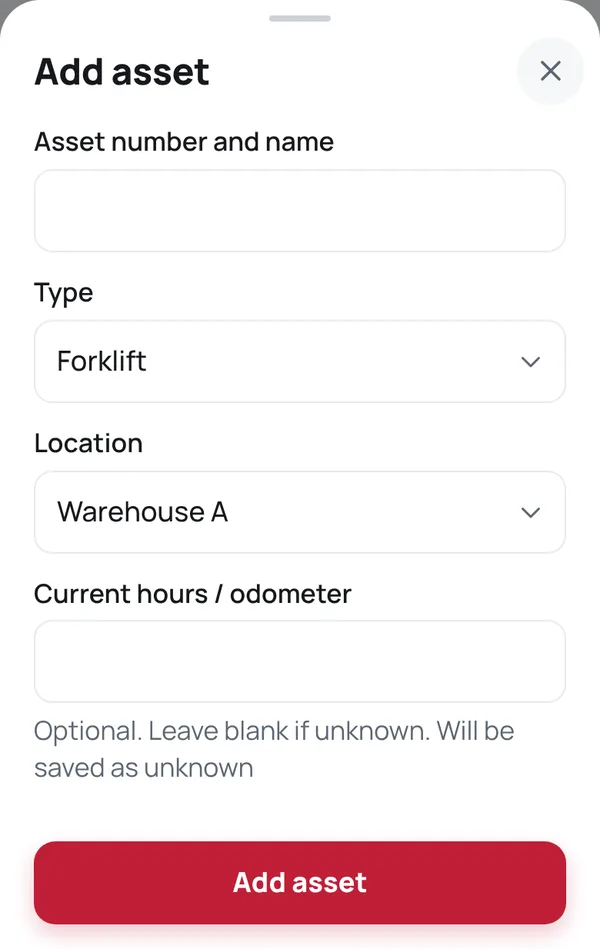
Add asset panel: asset number and name, type, location and hours
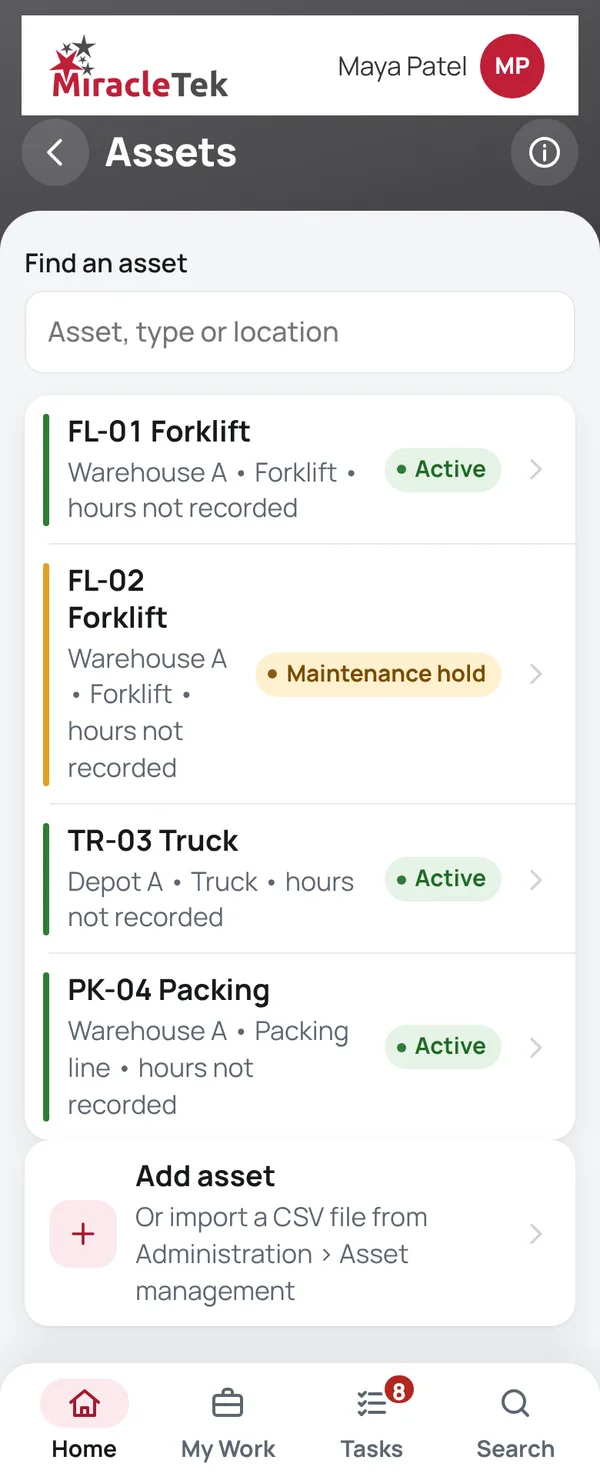
Assets screen with the status of each machine

How it works

From the register to the release

  1. Add assetAdd assets one at a time, or import a CSV file from Administration › Asset management. An import adds new assets only and never changes existing ones.
  2. Record hours / odometer readingReadings only go forward. A mistaken latest reading is corrected with a reason.
  3. Isolate assetAssets are put on hold or isolated through Safety: a failed prestart, a defect or an isolation.
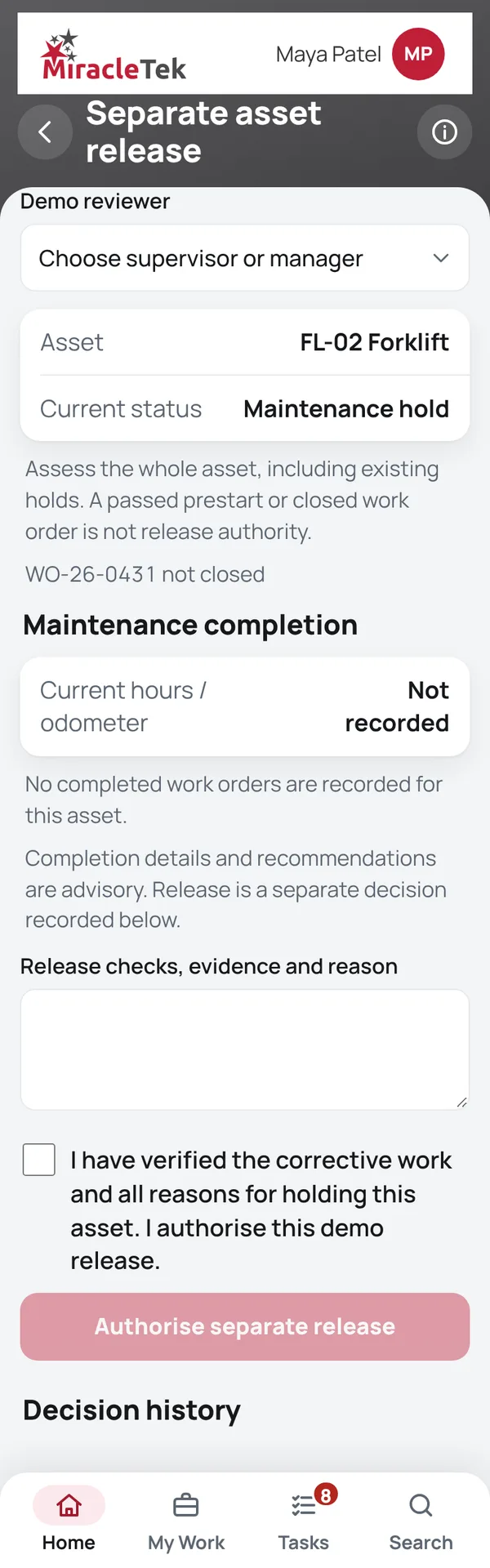
  4. Release from hold or Retire assetRelease is reviewed against its blockers and authorised separately. Retiring is only possible when no work, defect or check is open.

Screens

What the supervisor and workshop see

Every menu item, in the same order as the app menu. Full screens from the MiracleTek app, using sample data.

Assets

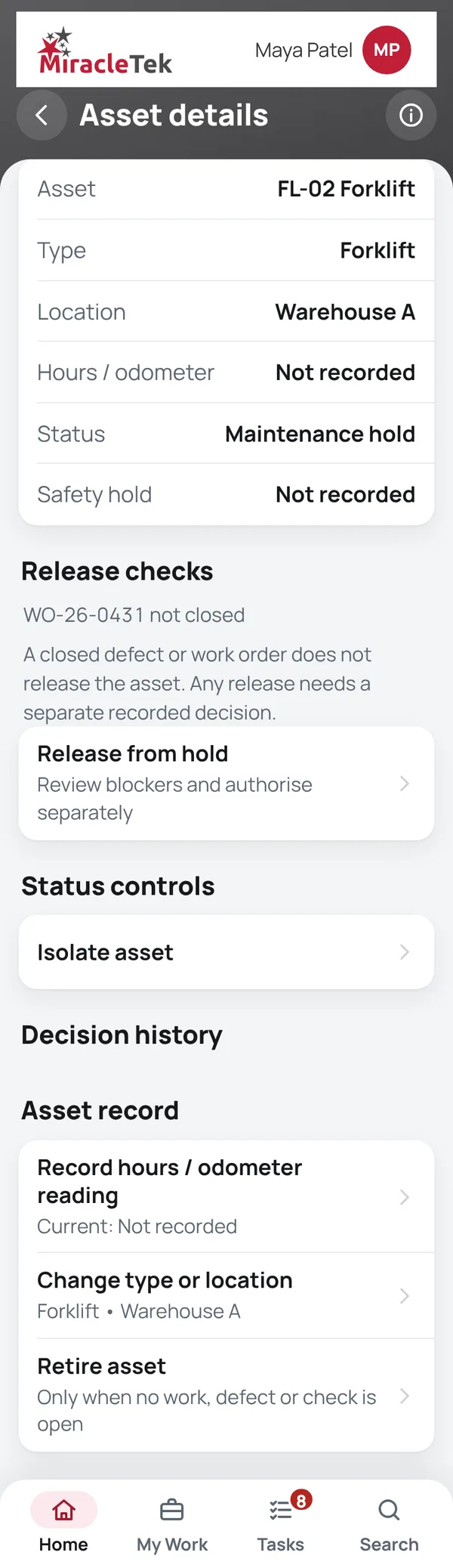
Asset details

Approvals and controls

Status changes only through the right step

  • Back to work only through releaseA machine on hold or isolated returns to use only through the separate authorised Safety release.
  • No retiring with open workOpen defects, work orders, prestarts or running sessions stop an asset from being retired.
  • Retired means retiredA retired asset is not offered for new prestarts, inspections, work orders or timesheets.
  • Every change recordedType, location, hours, status and retirement are kept in the asset’s history.
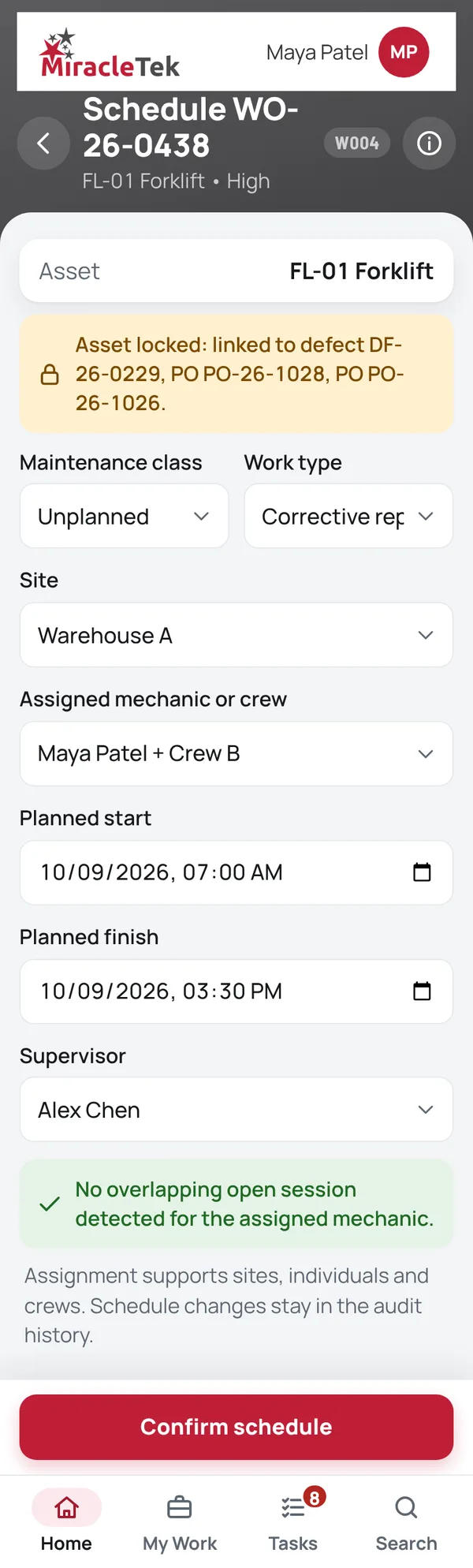
Schedule Work screen with the asset locked to its defect and parts

Mobile First

For phones and tablets on iOS and Android

Status and history are checked from the yard or the site, on a phone or tablet.

Works Offline

No signal, no problem

Asset status and history are on the device, so they can be checked without coverage.

Offline • 3 saved on this device

Multiple Destinations

Designed to keep the right people informed

MiracleTek is designed so an asset change captured once can be configured for delivery to several destinations.

Asset status change
Supervisor or HSEQMaintenance planningERP or asset system
In the appThe register, hours readings, holds, isolations, releases and history are recorded in the app. Assets can be imported from a CSV file.
Delivery to your systemsStatus changes and readings are designed to be delivered through the MiracleTek Gateway to your ERP, asset and maintenance planning systems, configured for each customer.

See your fleet’s status on a phone

Request a demo. We will add an asset, record hours, put it on hold from a failed prestart and release it separately.

Request a demo Or email sales@miracletek.au Include your company, sites and the fleet you run.
Start