Integration
Keep your systems. Connect the work.
MiracleTek works alongside the systems you already run. It does not replace your ERP, payroll, finance or other core systems. It captures and validates the work where it happens, and the MiracleTek Gateway delivers it to the systems that need it.
No replacement needed
MiracleTek is the operational layer, not another ERP
Most businesses already have an ERP that works well in the office. The gap is where the work happens: paper, late dockets and re-keying. MiracleTek fills that gap and leaves your core systems where they are.
Your systems stay in charge
Finance, payroll, inventory and your other core records stay in the systems you already run, as the systems of record.
MiracleTek handles the operational work
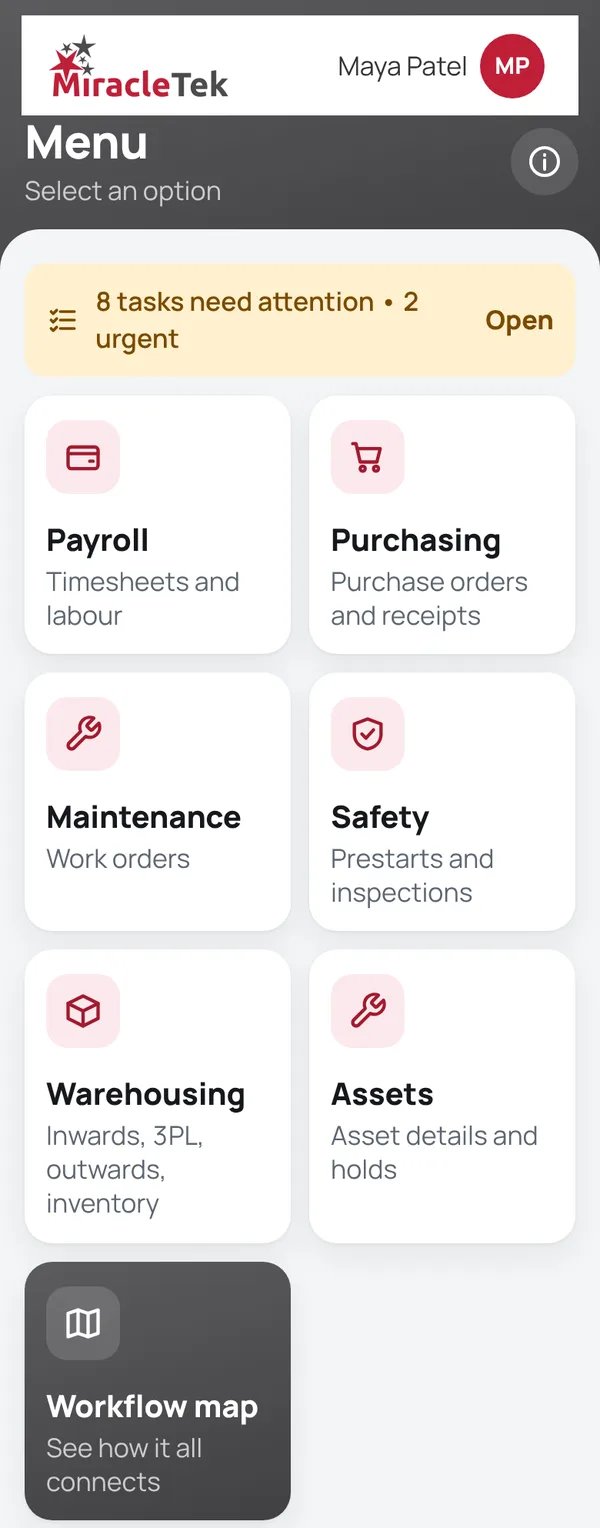
Capture at the point of work, checks as it is entered, photos with the record, and approvals by the right person.
Your rules, configured
Forms, approval limits and where each record goes are set up to match how your business works.
Start small
Begin with one module on one site. Extend to more modules, sites and systems once the trial is signed off.
Systems
Designed to work alongside your existing systems
The systems an operational record usually needs to reach. Which ones apply, and how, is agreed with you during implementation.
MiracleTek Gateway
One gateway between the work and your systems
The MiracleTek Gateway connects mobile operational activity with the business systems you already rely on. It brings the reference information crews need to where the work happens, and carries validated transactions back to the right systems, without replacing any of them.
- 1Your systemsYour systems hold the master data: employees, assets, suppliers, locations and more.
- 2MiracleTek GatewayMakes the master data each form needs available to authorised mobile users.
- 3Where the work happensTransactions are captured and validated at source on a phone or tablet.
- 4MiracleTek GatewayReceives validated transactions and routes each one to the right destination.
- 5Your destinationsDelivered to your nominated systems, with delivery confirmed.
What the Gateway is designed to do
Connect your systems
Links MiracleTek with your existing business-system environment, whatever mix of systems you run.
Bring master data to mobile users
Receives the reference data the app needs and makes it available to authorised users, for dropdowns, controlled selections and validation at source.
Receive validated transactions
Accepts transactions submitted from where the work happens once they have been validated at source.
Route to the right destination
Determines the right destination for each transaction and sends it securely, over an encrypted connection, to the system or systems nominated for that type of transaction.
Confirm delivery
Confirms that each nominated system has received the transaction.
Retry under control
If delivery fails or cannot be confirmed, the transaction is kept securely and retried in a controlled way. It is never lost because Submit was pressed.
Remove after confirmed delivery
Once delivery is confirmed, the transaction's content is removed from MiracleTek, including the copy on the device.
Keep only a delivery record
Only a minimal record of delivery is kept: the transaction reference, submission time, destination, delivery status and confirmation, not the transaction itself.
Disparate systems
Different transactions, different destinations
Most organisations run several systems, not one. The Gateway routes each type of transaction to the system you nominate for it, so one ERP does not have to receive everything.
Connectivity, controlled routing, secure delivery, and your system of record. The connection to each of your systems is configured for your environment.
Master data and transactions
Two kinds of data, handled differently
Master and reference data: retained
Employees, assets and equipment, suppliers, supplier products and pricing, divisions, depots and locations are retained by MiracleTek for your environment. They populate the dropdowns and controlled selections in forms and make validation possible, for authorised users only.
Transactional source data: temporary
Timesheets, purchasing, safety, prestart, inspection, maintenance, work-order, warehouse and other transactions are held only while they are captured, validated and delivered. Once delivery is confirmed they are removed from MiracleTek, and your systems remain the systems of record.
How an integration project runs
Agreed with you, tested before it goes live
- Map your systemsWhich records go where, which fields they need, and which system is the source of each one.
- Agree the rulesWhen a record is sent, who approves it first, and what happens if a system is not available.
- Test with your dataChecked in a test setup before anything reaches your live systems.
- Go live on one siteExtend to more sites, modules and systems after sign-off.
Talk to us about your systems
Request a demo. We will show MiracleTek on a phone and talk through the systems you use today and where operational records need to go.