MiracleTek

Mobile First maintenance

Work orders run from the workshop floor, not the office

Fitters and supervisors raise, schedule and complete maintenance on a phone or tablet. Labour, parts and photos are recorded against the work order and the machine, and completion then needs supervisor review.
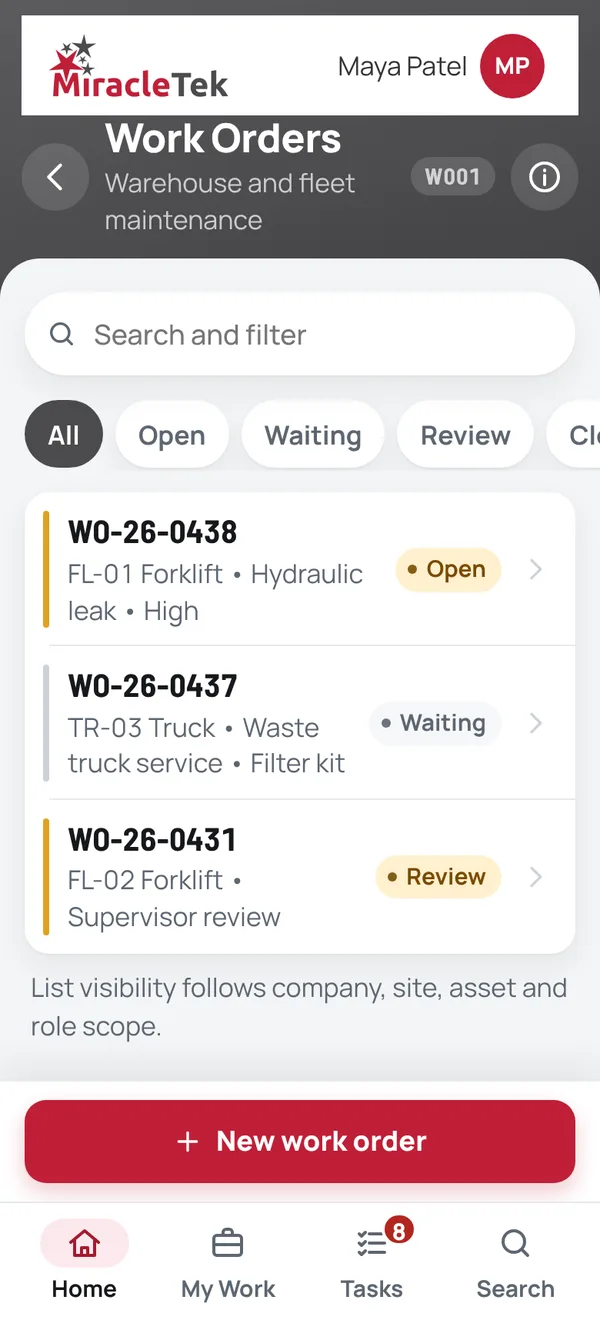
Work Orders screen listing work orders by status
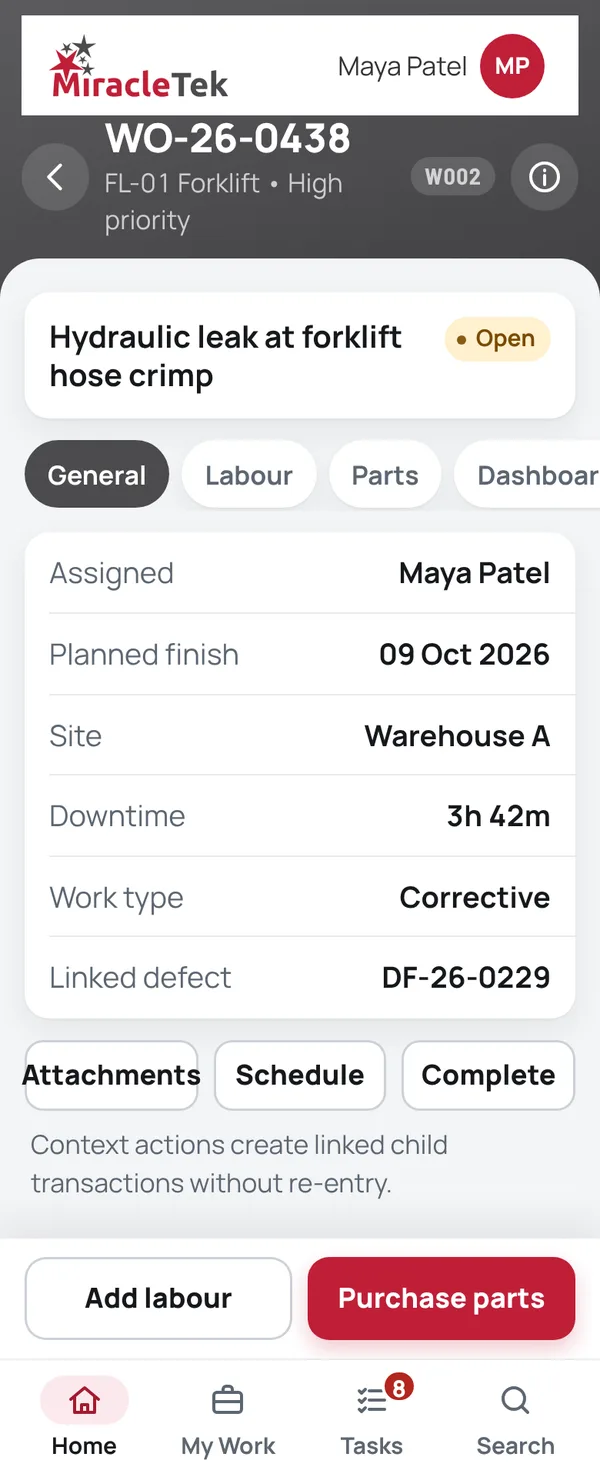
Work Order Details screen for WO-26-0438, a hydraulic leak on FL-01 Forklift

How it works

From the defect to supervisor review

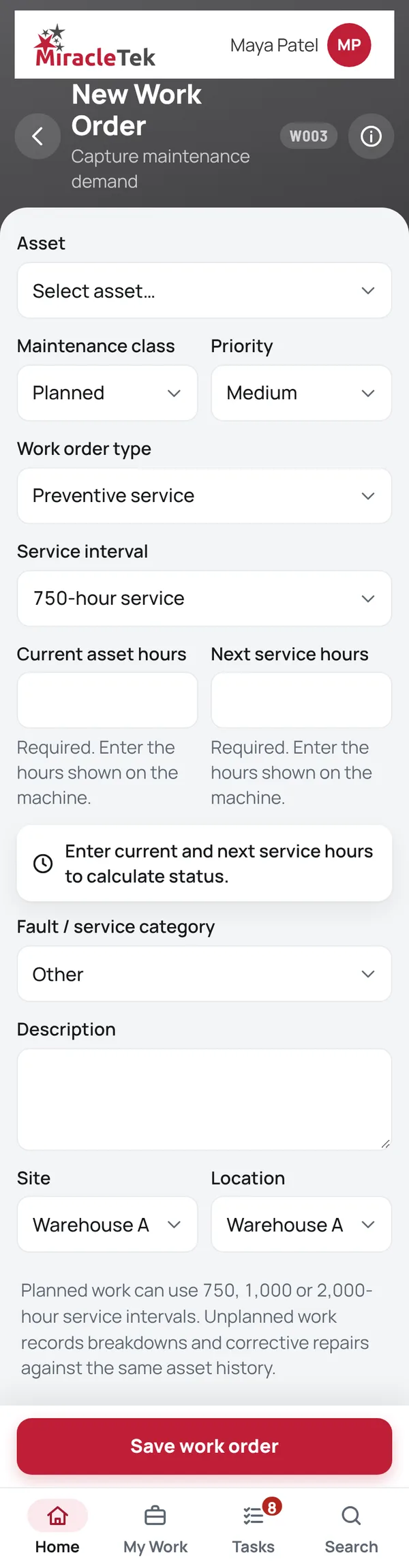
  1. New Work OrderFrom a defect, a breakdown or a planned service: planned or unplanned, preventive or corrective, including service intervals such as 750, 1,000 and 2,000 hours.
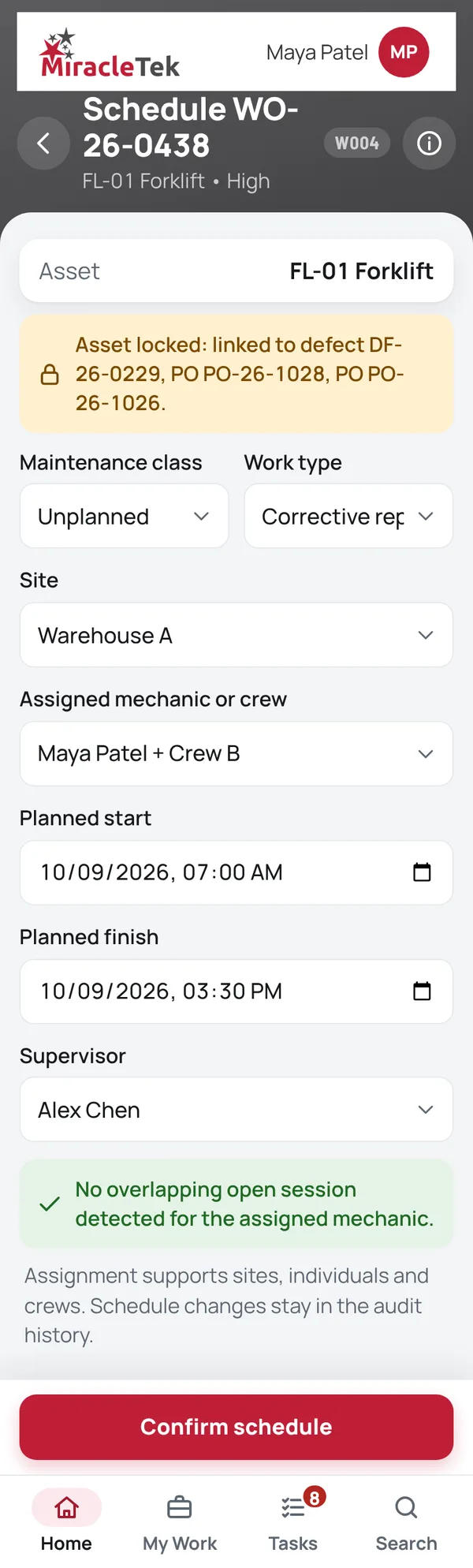
  2. Schedule WorkAssign a mechanic or crew and dates. Once a defect or parts are linked, the asset on the work order is locked.
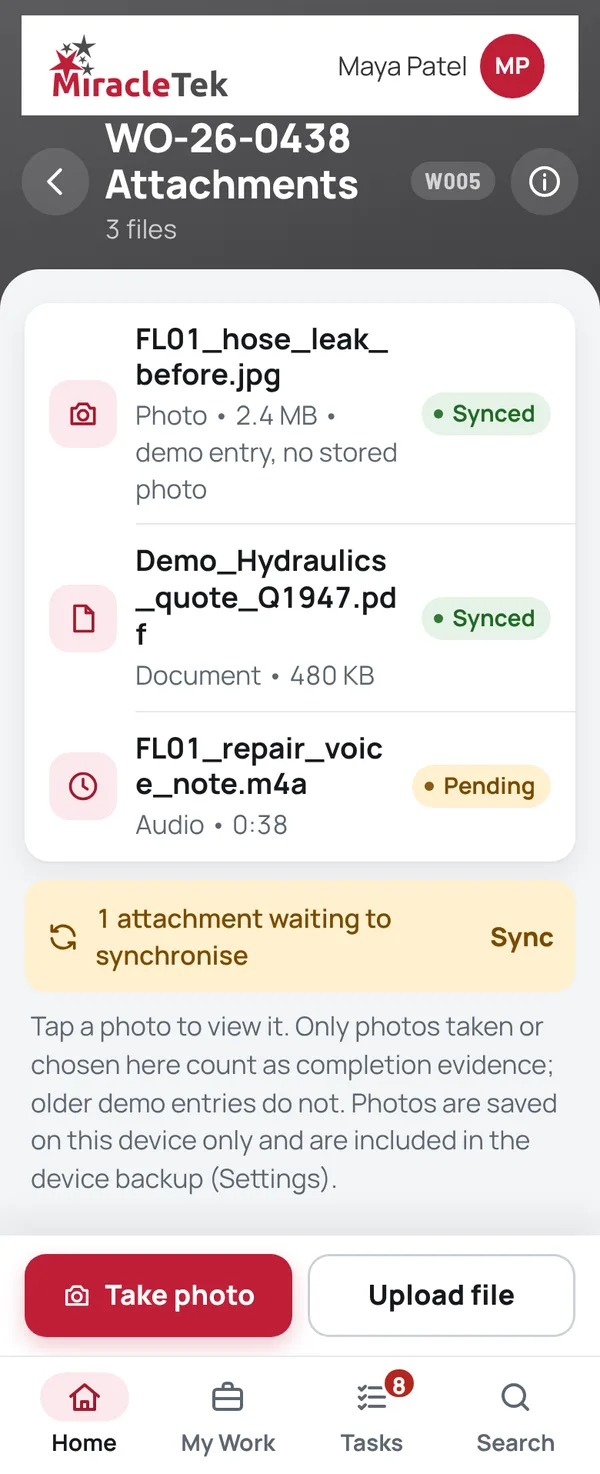
  3. Work Order DetailsAdd labour, purchase parts against the work order, and add photos and documents in Work Order Attachments.
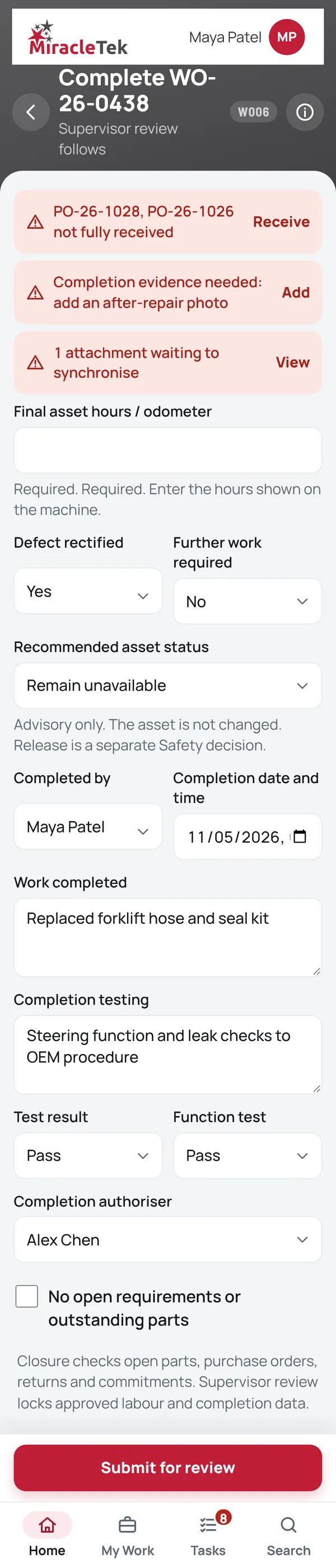
  4. Complete Work OrderRecord the work done, testing and final hours, then submit for supervisor review. Completion is blocked while ordered parts are outstanding or completion evidence is missing.

Screens

What the fitter and supervisor see

Every menu item, in the same order as the app menu. Full screens from the MiracleTek app, using sample data.

Approvals and controls

Completing the work is not releasing the machine

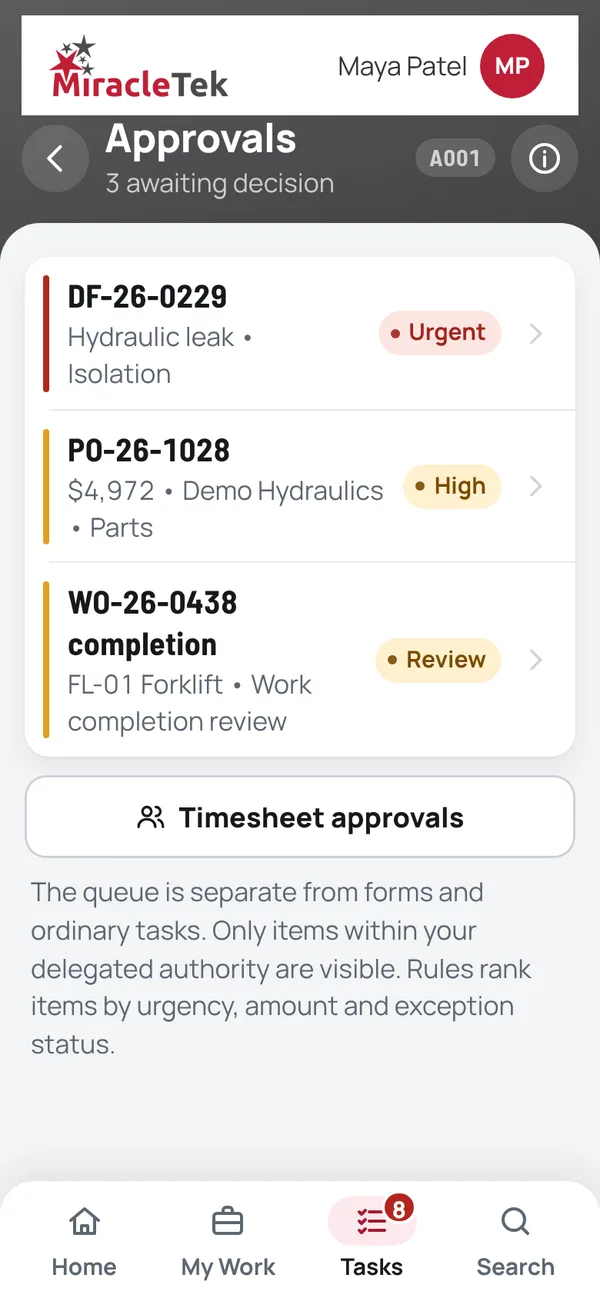
  • Supervisor reviewCompleted work is reviewed by a supervisor, who approves it or returns it for more work.
  • Release stays separateApproving a completed work order does not return the asset to service, lift an isolation or hold, or close the defect. Release is its own authorised Safety step.
  • Checks before completionOutstanding parts and missing completion evidence are shown and must be cleared first.
  • Linked togetherThe defect, purchase orders, labour, photos and decisions are linked to the work order.
Approvals queue with a work order completion awaiting review

Mobile First

For phones and tablets on iOS and Android

Work orders, labour and photos are entered at the machine, in the workshop or in the field, on the phone or tablet the fitter already carries.

Works Offline

No signal, no problem

Fitters keep recording labour, parts and photos without coverage. Records are held securely on the device until delivery is confirmed.

Offline • 3 saved on this device

Multiple Destinations

Designed to reach the right places

MiracleTek is designed so a work order captured once can be configured for delivery to several destinations.

Work order
Supervisor reviewParts purchasingAsset historyERP or maintenance system
In the appWork orders, labour, parts, photos and supervisor review are recorded in the app. Parts are raised as purchase orders from the work order.
Delivery to your systemsCompleted work orders are designed to be delivered through the MiracleTek Gateway to your ERP, maintenance and document management systems, configured for each customer.

See a work order on a phone, on your own fleet

Request a demo. We will raise a work order from a defect, add labour and parts, and take it through supervisor review.

Request a demo Or email sales@miracletek.au Include your company, sites and the plant you maintain.
Start